01
Step 01 · Estimating
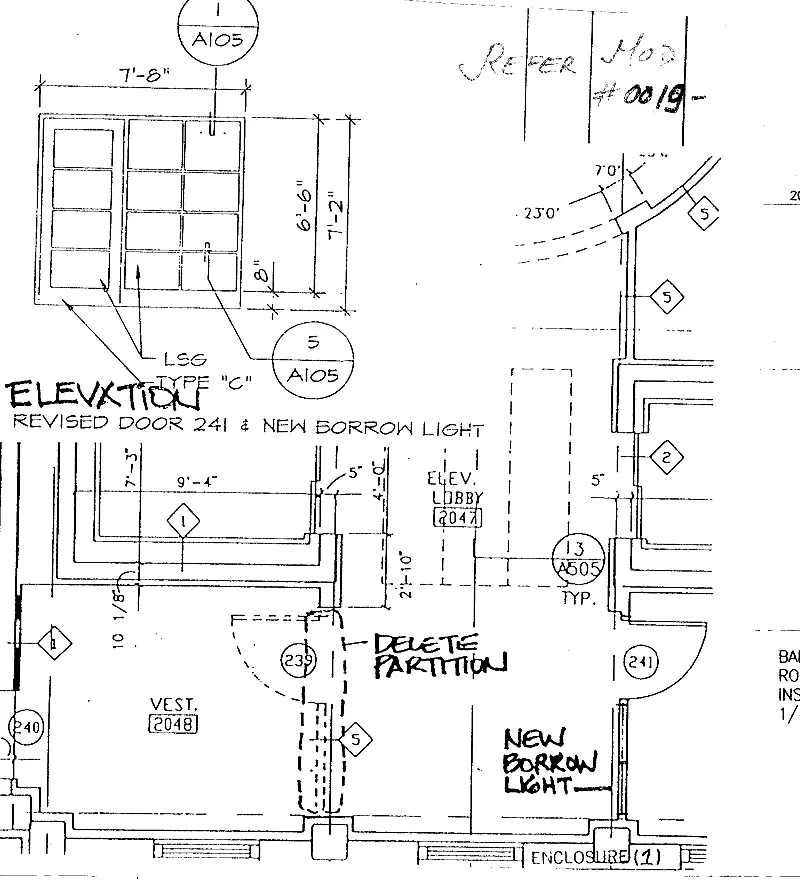
Drop in the whole tender.
Send the tender as it came. Firmpoint sorts the sheets and turns what each drawing shows into materials to price.
Which department are you in?
For estimating and procurement teams
You replace nothing. Firmpoint sits on top of the systems you already use.
Thanks. You are on the list.
How it works
Step 01 · Estimating
Send the tender as it came. Firmpoint sorts the sheets and turns what each drawing shows into materials to price.
Step 02 · Estimating
Click a line on the bill and the walls it counts light up on the drawing, with the sum written out.
Step 03 · Estimating
Nothing leaves until someone on your team says yes.
Step 04 · Procurement
No more copying quotes into Excel. They come back lined up side by side, with the same VAT on each.
Sara, buyer · the reason, kept on the orderPicked Qasr Rebar. AED 1,200 more than Dune Line, but on time 8 of 8 and no loads sent back. Dune Line was late 3 times out of 8.
Step 05 · Procurement
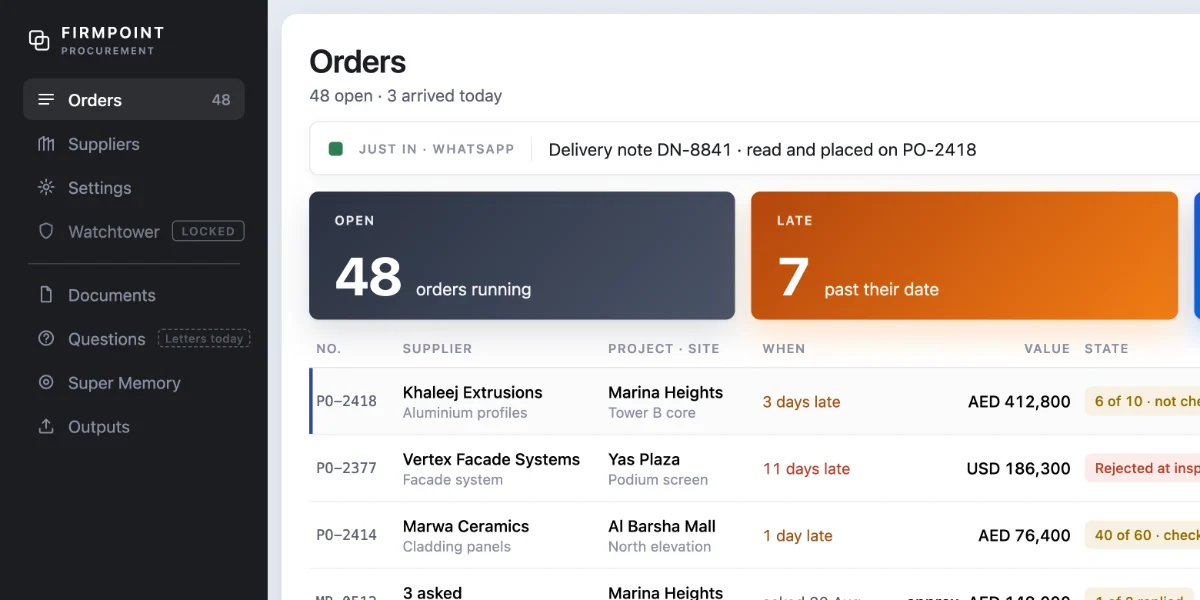
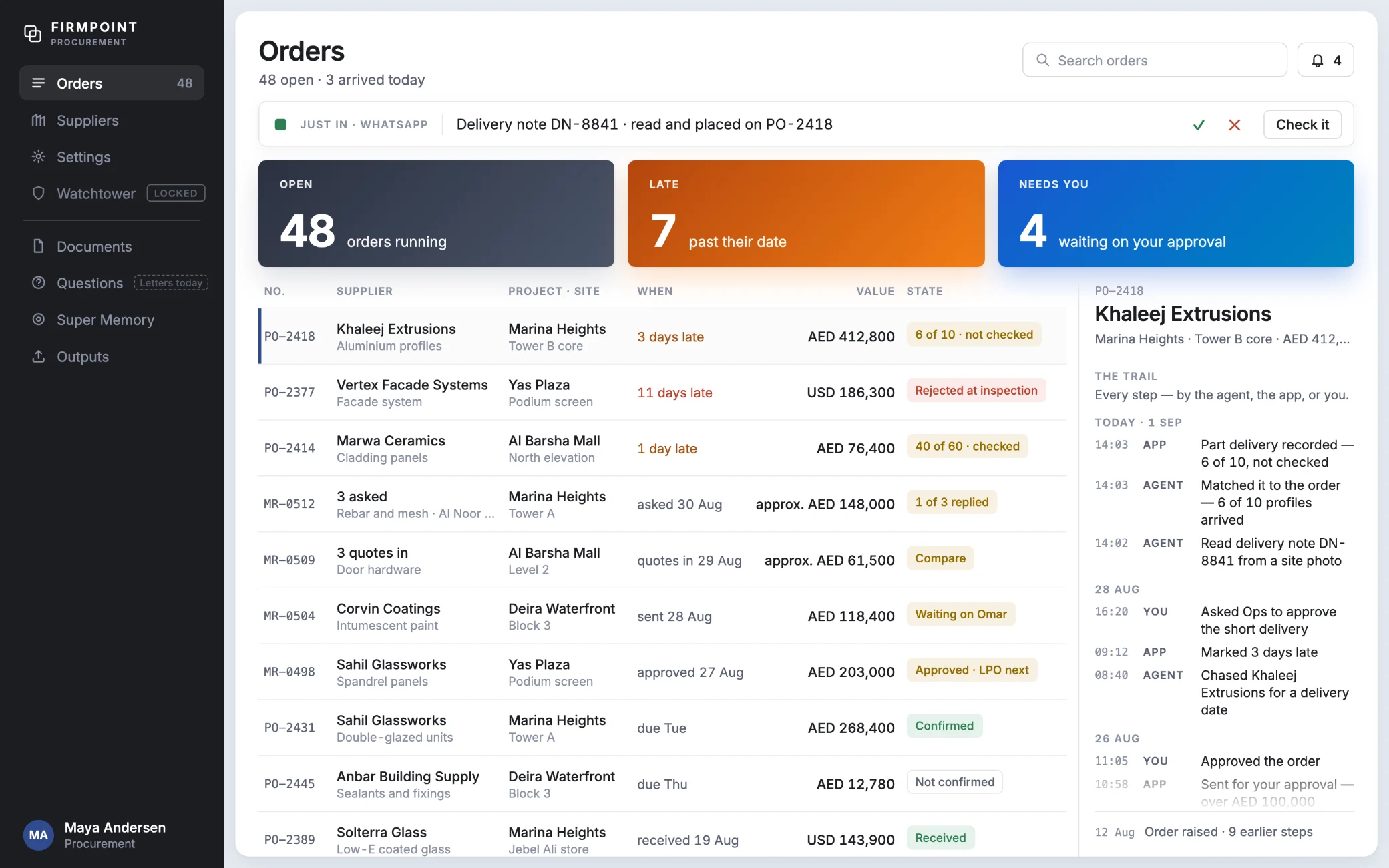
Send a WhatsApp photo of the delivery note. Firmpoint reads it and puts it on the right order.
Super Memory
Watchtower
Firmpoint will read the news for what you buy, and flag the quotes it touches.
With and without Firmpoint
And more
Ask a question. Get the answer, and the page it came from. Coming soon.
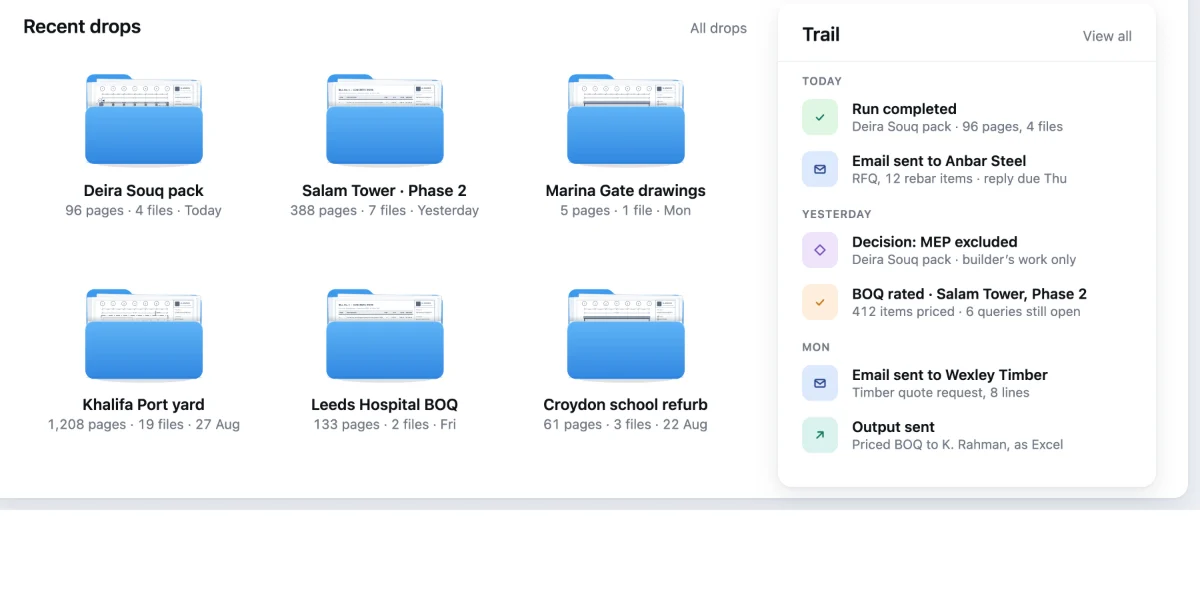
Every step of every order: who, when, and why that supplier.
Counted from your own orders. The supplier never sees it.
When something needs you, on Mac and Windows, and a digest each morning.
A new drawing comes in, and Firmpoint lists what changed and why. The old one is kept. Coming soon.
Your whole team shares one prepaid wallet. No seats, and a paper we can't read is never billed.
Questions
No. Firmpoint sits on top of the systems you already run and replaces nothing. Your ERP still issues the order, and your bank still pays.
In: by upload, from a Gmail inbox you connect, or by WhatsApp to Firmpoint's number, as PDF, Excel, Word, DXF or a zip. Out: once an order is approved, it goes into your ERP by itself: Tally, Sage, Xero, QuickBooks or Zoho Books. Any other system gets a CSV file to import. Outlook, Microsoft Teams and WhatsApp on your own number are coming.
Only your firm. The database itself refuses a link between two firms. We never sell your data, and you can take all of it out as Excel or CSV at any time.
No. It reads, lines things up and flags what looks wrong. A person picks, approves and sends. When it can't find a value, it leaves the box empty instead of guessing.
Yes. Set your firm to the UAE or the UK and it uses 5% or 20% VAT. Quotes are compared before VAT, and UK invoice files carry VAT and the CIS reverse charge.
How your firm works, not just your suppliers: who you buy what from, your own names and cost codes, who approves what, who delivers on time. It puts that data beside each decision, so you decide on facts. It never decides for you. You can pause or correct any of it, and it stays with your firm.
No. Suppliers reply the way they already do: email, WhatsApp, a PDF or a photo. An approver gets a link and decides on one page, with no login and nothing to install.
Yes. The demo runs on a made-up firm with no sign-up. And every new person starts with free credit. A card is asked for only once it is spent.